
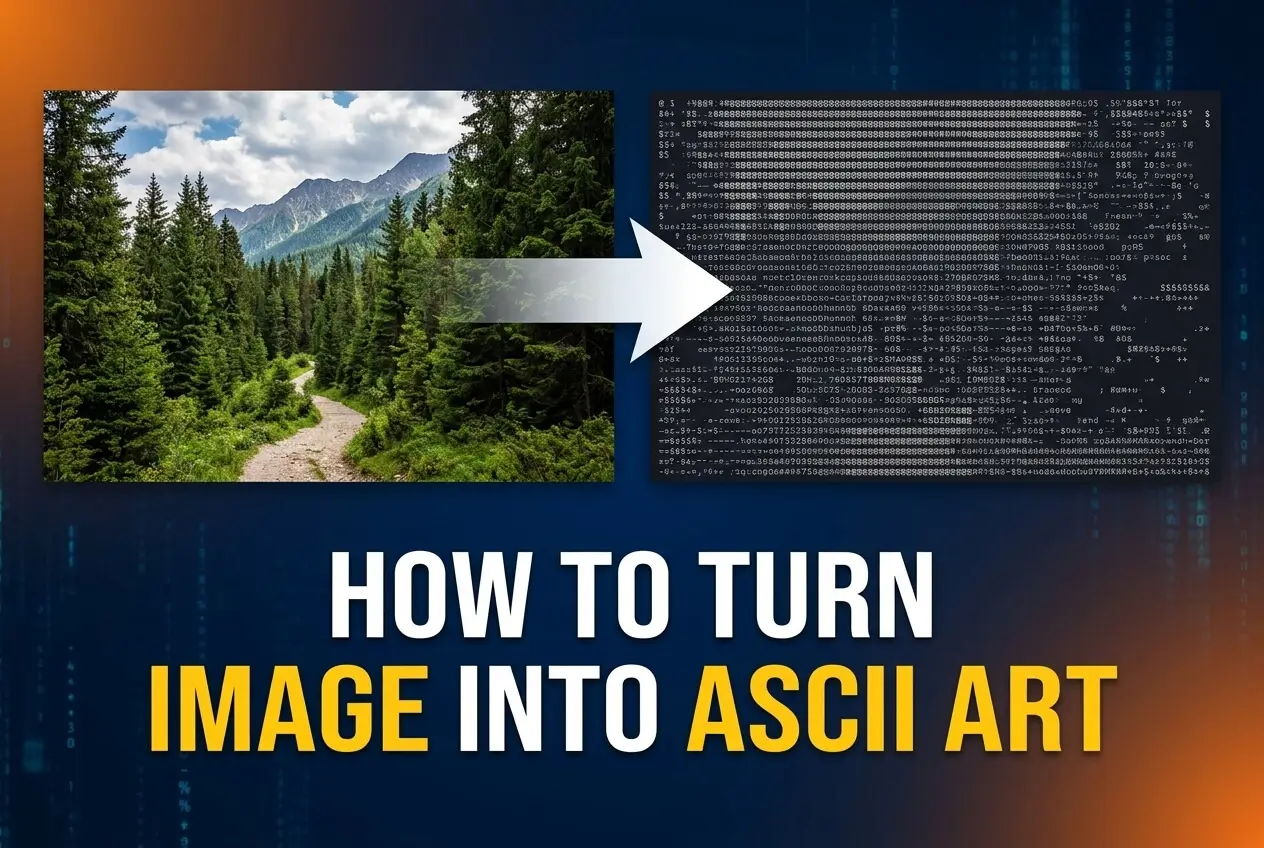
Learning how to turn image into ASCII art is a simple way to transform an ordinary picture into a creative composition made from letters, numbers, punctuation marks, and other keyboard characters. ASCII art has been used for decades in terminals, text-based interfaces, online communities, programming projects, and digital artwork. Today, you can create it much faster with image-to-ASCII tools that automatically analyze an image and replace different shades with suitable characters. The process can be as simple as uploading a photo, adjusting a few settings, and copying the generated result. However, getting a clear and attractive result depends on choosing the right image, character density, contrast, width, and output style. In this guide, you will learn what ASCII art is, how image conversion works, how to convert an image step by step, which images work best, common mistakes to avoid, practical uses, and expert techniques for creating better-looking ASCII artwork.
What Is Image To ASCII Art
Image-to-ASCII conversion changes visual information from a picture into a text-based representation. Instead of using colored pixels, the converter uses characters with different visual densities to represent light and dark areas. This makes it possible to display an image using plain text while preserving enough of its original shape to make the subject recognizable.
1. ASCII Characters Replace Pixels
A digital image normally contains thousands or millions of pixels, with each pixel carrying color and brightness information. ASCII art simplifies that information by grouping pixels and assigning characters to them. Darker areas may use characters such as hash marks or at signs, while brighter areas may use spaces, periods, or other lighter characters.
2. Brightness Creates Visual Detail
The brightness of an image plays an important role in the conversion process. An ASCII generator usually maps different brightness levels to different characters. A very dark area receives a dense character, while a bright area receives a lighter character. This contrast allows text characters to collectively form recognizable shapes.
3. Character Density Affects Quality
Character density determines how much detail the final artwork can contain. A narrow output may look simple and recognizable, but small features can disappear. A wider output contains more characters and can preserve additional details, although it may become harder to read or display correctly in some text environments.
4. Monospace Fonts Matter
ASCII art is normally designed for monospaced fonts, where every character occupies approximately the same horizontal space. Using a proportional font can distort the artwork because different letters have different widths. Viewing the finished result in a suitable text editor or terminal can therefore make a significant difference.
5. Color Can Be Simplified
Traditional ASCII art is usually monochrome, meaning the original colors are reduced to brightness values. Some modern converters can create colored ASCII output by preserving approximate color information while still using text characters. The basic shape, however, continues to depend heavily on brightness and character placement.
6. Different Character Sets Create Different Styles
A converter can use a small character set or a more detailed gradient of characters. A simple set produces bold, minimal artwork, while a larger set can represent more subtle shades. Choosing the character set is therefore partly a technical decision and partly a creative one because it changes the visual personality of the finished image.
Why Turn Images Into ASCII Art
Converting images into ASCII art is useful beyond simple experimentation. The format is lightweight, text-friendly, and visually distinctive, which makes it suitable for creative projects, technical environments, educational demonstrations, and digital communities.
1. Create Text-Based Artwork
ASCII art provides a unique way to recreate photographs, logos, objects, and illustrations without relying on conventional image files. Because the artwork is made from characters, it can feel more personal and handmade than a standard digital image, especially when the creator adjusts the character arrangement manually.
2. Use Artwork In Text Environments
Some environments are designed primarily for text rather than graphical media. ASCII artwork can be displayed inside terminals, command-line applications, plain-text documents, and other text-based interfaces. This makes it useful when a conventional image cannot be embedded or would be unnecessarily heavy.
3. Explore Digital Creativity
Turning a photograph into characters can help beginners explore how images are represented digitally. The process demonstrates the relationship between brightness, resolution, contrast, and visual perception. It is also a fun introduction to computational image processing without requiring advanced artistic or programming skills.
4. Make Distinctive Social Content
Text-based artwork can be copied into posts, messages, profiles, comments, or communities that support monospaced formatting. A recognizable image represented with characters can attract attention because it looks different from ordinary visual content. The best results are usually simple, high-contrast designs that remain readable at a small size.
5. Experiment With Programming
ASCII conversion is a practical beginner project for people learning programming. A basic converter can read an image, calculate pixel brightness, resize the image, and map brightness values to characters. This introduces useful concepts such as loops, arrays, image dimensions, grayscale conversion, and character mapping.
6. Produce Lightweight Visual Representations
ASCII art can represent basic imagery without storing or displaying a conventional bitmap. Although it is not always more efficient for every modern application, a text representation can be convenient when portability, plain-text compatibility, or terminal display is more important than photographic quality.
How To Turn Image Into ASCII Art
The conversion process is straightforward when you use an image-to-ASCII generator. The important part is not simply generating the artwork but choosing settings that preserve the subject and produce readable characters. These steps provide a practical workflow from the original image to the finished text artwork.
1. Choose A Suitable Image
Start with an image that has a clear subject and reasonably strong contrast. Portraits, objects, symbols, animals, and simple landscapes often convert better than extremely busy photographs. A clearly defined subject gives the character-based representation enough visual structure to remain recognizable after the image is reduced.
2. Upload The Image
Open an image-to-ASCII conversion tool and upload the selected picture. Depending on the tool, you may be able to use common formats such as JPEG, PNG, or WebP. The converter will analyze the image and prepare its pixel information for conversion into text characters.
3. Select The Output Width
Adjust the output width according to where you plan to use the artwork. A larger width generally provides more detail, while a smaller width produces a compact result. Remember that terminal windows, messages, and documents have different display limitations, so the ideal width depends on the intended destination.
4. Choose A Character Set
Select the character range used to represent different shades. A simple character set may produce a clean and bold appearance, while a larger gradient can create smoother transitions between dark and light areas. Try several options when available because the same image can look dramatically different with different character combinations.
5. Adjust Contrast And Brightness
Review the generated artwork and adjust contrast or brightness if the subject looks unclear. Increasing contrast can separate important shapes, while brightness adjustments can reveal details that are too dark or too light. Avoid extreme settings because they can eliminate subtle features and create large blocks of identical characters.
6. Check The Aspect Ratio
Characters are often taller than they are wide, so converting an image without compensating for character proportions can make the artwork look stretched vertically. Some converters automatically correct this issue. If your result appears unusually tall or narrow, look for an aspect-ratio or character-scale setting.
7. Copy And Review The Result
Once the artwork looks balanced, copy the generated ASCII output and view it in a monospaced environment. Check whether important shapes remain recognizable and whether spacing has been preserved. A result that looks good inside a generator may appear different after being pasted into another application with different font or formatting settings.
Best Images For ASCII Art Conversion
The quality of the source image has a major effect on the final ASCII result. Because conversion removes much of the original color and fine detail, images with strong shapes and clear tonal differences usually perform better.
1. High Contrast Portraits
Portraits with clear lighting and visible facial structure can produce recognizable ASCII artwork. Strong separation between the face, hair, clothing, and background helps the converter identify major shapes. Extremely soft lighting or complicated backgrounds can make facial details blend together after the image is reduced.
2. Simple Product Photos
Objects photographed against clean backgrounds are often excellent candidates for ASCII conversion. A recognizable outline gives the artwork a strong foundation, while moderate contrast helps preserve important features. This approach works particularly well for objects with distinctive silhouettes, such as cameras, headphones, vehicles, or household items.
3. Logos And Symbols
Simple logos and symbols can convert effectively because their designs usually contain strong boundaries and limited visual complexity. When the original graphic has clear shapes and sufficient resolution, ASCII characters can reproduce its overall form even after substantial reduction. Minimal designs generally require fewer characters to remain recognizable.
4. Animals With Clear Shapes
Animal photographs can create interesting ASCII compositions when the animal has a distinct silhouette. Side profiles, seated animals, and subjects against plain backgrounds tend to work especially well. Images with dense foliage, multiple animals, or complicated scenery can be more difficult because the character pattern may become visually crowded.
5. Simple Landscapes
Landscapes can work when the composition contains obvious layers such as a bright sky, dark mountains, and a clear foreground. The converter can translate these broad tonal areas into recognizable character patterns. However, highly detailed landscapes may lose small objects, textures, and subtle color changes during conversion.
6. Black And White Images
Black-and-white images are naturally suited to ASCII conversion because they already emphasize brightness rather than color. They can provide clear tonal separation and make it easier to predict how different areas will translate into characters. This makes monochrome source images a useful choice when you want a traditional ASCII appearance.
ASCII Art Conversion Settings To Improve Results
Small adjustments can make the difference between an unclear character pattern and a recognizable piece of ASCII artwork. Focus on the settings that control resolution, tonal range, spacing, and character selection rather than simply increasing every value.
1. Increase Width Gradually
If important details disappear, increase the output width gradually instead of immediately choosing an extremely large value. More characters provide additional detail, but excessive width can make the artwork inconvenient to display. Find the smallest width that still preserves the main subject and important visual features.
2. Use Stronger Contrast Carefully
Contrast can make ASCII art more recognizable by creating clearer differences between dense and light character regions. However, too much contrast may turn subtle areas into solid blocks. Adjust it while watching the entire composition rather than focusing on one small detail, because local improvements can sometimes damage the overall balance.
3. Test Different Character Gradients
Character gradients are central to the appearance of ASCII art. Characters with larger visual density create darker regions, while sparse characters create lighter regions. Testing several gradients can reveal which set best matches your source image. A complex gradient is not automatically better if it makes the artwork visually noisy.
4. Keep Important Details Centered
If you can crop the original image before conversion, place the primary subject prominently within the frame. Removing unnecessary empty space gives the converter more character space for the details that matter. Cropping is often more effective than simply increasing output resolution because it focuses the available text on the main subject.
5. Consider The Display Font
Always evaluate the final artwork using a monospaced font when possible. Font choice can change perceived spacing, density, and proportions. If the artwork is intended for a terminal or text editor, test it in that environment before considering the conversion complete so you can identify alignment problems early.
6. Preview At The Final Size
ASCII artwork can look impressive when zoomed in but become difficult to recognize when displayed at its intended size. Preview the result at the approximate size readers will see. This helps determine whether the character density is appropriate and whether important shapes remain visible without excessive visual clutter.
Common Image To ASCII Art Mistakes To Avoid
Many poor conversions are caused by source-image problems or unsuitable settings rather than limitations of ASCII art itself. Recognizing these issues can save time and help you produce a cleaner result with fewer adjustments.
1. Choosing A Very Busy Image
A photograph containing many people, objects, textures, and background details can become difficult to interpret after conversion. The characters compete with one another and create visual noise. Choose a simpler composition or crop the image around the primary subject before converting it into ASCII.
2. Using Too Little Resolution
An extremely narrow output can remove important information from the original image. When the character grid is too small, eyes, edges, text, and object boundaries may disappear. Increase the width enough to preserve meaningful shapes, but stop before the result becomes impractical for its intended display environment.
3. Ignoring Character Proportions
ASCII characters are not square pixels, so a direct pixel-to-character conversion can produce distorted proportions. If the artwork looks stretched, use a tool that compensates for character dimensions or adjust the vertical scale. Correcting this issue can make a surprisingly large improvement in visual accuracy.
4. Overusing Contrast
Excessive contrast can create large regions of identical characters and remove useful intermediate shades. Although strong contrast may initially make the artwork appear bolder, it can reduce recognizable details. Use contrast to separate major forms while keeping enough tonal variation to describe curves, shadows, and textures.
5. Using The Wrong Font
Viewing ASCII artwork in a proportional font can destroy its alignment because characters occupy different horizontal widths. This makes carefully arranged rows appear uneven and can distort the subject. Use a monospaced font whenever possible, especially when copying artwork into a terminal, editor, or plain-text document.
6. Forgetting The Final Use
An ASCII image intended for a terminal has different requirements from one intended for a social post or plain-text document. Ignoring the final destination can lead to an output that is too wide, too detailed, or poorly formatted. Decide where the artwork will be used before choosing its dimensions and character density.
Practical ASCII Art Use Cases
Once an image has been converted successfully, the resulting artwork can be used in many text-focused situations. The most suitable application depends on the desired style, available formatting, and the amount of visual detail the destination can support.
1. Terminal And Command Line Designs
ASCII art is commonly associated with terminals because text characters can be displayed without traditional graphical interfaces. Developers can use simple artwork for visual identity, demonstrations, startup screens, or decorative output. Keeping the design compact is important because terminal windows vary widely in width and character rendering.
2. Developer Projects
Programmers can use ASCII representations as decorative elements inside development projects or demonstrations. A converted image can also serve as a practical exercise for learning image processing. Building or experimenting with an image-to-ASCII converter introduces concepts such as grayscale values, resizing, character mapping, and formatted text output.
3. Text-Based Communities
Communities that primarily support text can use ASCII artwork to add visual personality without uploading a conventional image. Small designs are particularly effective because they can be copied easily and remain readable on different devices. Always consider the community’s formatting rules before posting large character-based artwork.
4. Digital Art Experiments
Artists can use image conversion as a starting point rather than a finished product. After generating the initial ASCII structure, individual characters can be edited, removed, replaced, or rearranged to create a more deliberate composition. This combines automated conversion with manual creative control and can produce highly distinctive results.
5. Educational Demonstrations
ASCII conversion provides an accessible way to demonstrate how computers represent visual information. Students can see how a detailed image can be reduced to brightness values and then mapped to characters. This makes abstract concepts such as pixels, grayscale, resolution, and data representation easier to visualize through a practical example.
6. Creative Text Messages
Small ASCII portraits, symbols, animals, and objects can add personality to text-based communication. The best choices are usually compact images with simple shapes because recipients may view the message on different screen sizes. Keeping the artwork reasonably narrow also reduces unwanted line wrapping and preserves its intended structure.
Best Practices For Image To ASCII Art
Good ASCII conversion combines a suitable source image with sensible technical settings. These practices can help you achieve consistent results without spending unnecessary time experimenting with every available option.
1. Start With A Clean Source
Use the highest-quality source available, especially when the image contains important edges or small features. A sharp original gives the converter more useful information to work with. Avoid heavily compressed images when possible because compression artifacts can become distracting character patterns during conversion.
2. Crop Before Converting
Remove unnecessary borders and empty areas before generating ASCII art. Cropping allows more of the character grid to represent the subject itself. This is particularly helpful for portraits and product images because the available text space is focused on the areas viewers need to recognize.
3. Prioritize Recognition Over Detail
A visually complicated ASCII image is not necessarily a better one. The goal should be to preserve the most important shapes and tonal relationships. If adding more characters makes the result harder to recognize, reduce the complexity and focus on a strong silhouette, clear contrast, and balanced spacing.
4. Match Output To Its Destination
Choose dimensions based on where the artwork will appear. A terminal may require a compact width, while a large plain-text document can accommodate more detail. Planning for the destination prevents unnecessary resizing later and helps maintain the alignment that makes ASCII artwork visually effective.
5. Compare Several Variations
Do not assume the first generated version is the best possible result. Try modest changes to width, contrast, brightness, and character density. Comparing several versions makes it easier to identify which settings preserve the subject most effectively. Save the strongest variation rather than repeatedly modifying one unsuitable output.
6. Preserve Monospaced Alignment
Before sharing or publishing ASCII artwork, confirm that its rows and columns remain aligned. Copying text through applications that automatically change fonts, spacing, or line breaks can damage the design. Maintaining consistent character spacing is essential because the artwork depends on precise horizontal and vertical positioning.
Advanced Image To ASCII Art Tips
Once the basic conversion process is familiar, more deliberate adjustments can produce cleaner and more artistic results. These techniques focus on controlling visual hierarchy, preserving important details, and adapting the output to different display conditions.
1. Use Cropping As A Composition Tool
Instead of treating cropping as simple preparation, use it to improve the composition. Position the subject where it has enough surrounding space while removing distractions. A thoughtfully cropped image can often produce stronger ASCII art than a full photograph converted at a much higher resolution.
2. Experiment With Character Weight
Characters have different visual weights even when they occupy the same physical space. Dense symbols can create strong dark regions, while punctuation and spaces create lighter areas. Combining characters with noticeably different visual density can produce more convincing shading and improve the sense of depth in the finished artwork.
3. Preserve Strong Edges
Edges define the identity of many objects, so avoid settings that flatten every tonal transition. A useful conversion maintains enough contrast around important boundaries while still preserving intermediate shades. When an object becomes difficult to recognize, examining its outline is often more helpful than simply increasing overall brightness.
4. Test Different Character Sets
A character set that works well for a portrait may not be ideal for a logo or landscape. Try combinations containing dense symbols, medium-weight characters, and light punctuation. Different sets emphasize different visual qualities, so selecting characters based on the source image can produce more consistent and intentional results.
5. Remove Unnecessary Background Detail
Background texture can consume a large amount of the available character space without contributing much to recognition. When possible, simplify the background through cropping, contrast adjustments, or source-image selection. This allows the main subject to receive more visual emphasis and prevents the final ASCII pattern from becoming overly chaotic.
6. Inspect The Artwork At Multiple Sizes
Look at the converted artwork both close up and from a normal viewing distance. At close range, individual characters and patterns are easy to inspect. From farther away, the characters visually blend into larger shapes. A strong conversion should remain reasonably coherent at both levels because that indicates effective tonal organization.
When To Use Image To ASCII Art
ASCII conversion is not a replacement for every type of image format. It is most useful when a text-based appearance, lightweight representation, creative style, or terminal-friendly format is part of the goal. Choosing it for the right situation produces much better results.
1. Use It For Text-First Environments
ASCII art is a natural choice when the destination is primarily text-based. Terminals, plain-text files, certain messaging environments, and developer tools can display characters reliably without depending on image rendering. In these situations, ASCII provides a practical way to communicate basic visual information through text.
2. Use It For Creative Effects
If the goal is to give a familiar image an unusual visual treatment, ASCII conversion can create a distinctive effect. The technique works especially well for posters, experimental digital art, developer-themed designs, and retro-inspired projects. The conversion becomes part of the visual style rather than merely a technical workaround.
3. Use It For Learning
ASCII conversion is a useful learning project for students and beginners interested in programming or digital imaging. It demonstrates how a computer can simplify an image into measurable brightness values and map those values to text. The concept is approachable while still introducing meaningful computational ideas.
4. Be Careful With Detailed Photos
Highly detailed photographs may not be suitable when accurate visual reproduction is important. Small facial features, textures, text, and subtle colors can disappear during conversion. In these situations, a conventional image format may communicate the original information much more effectively than ASCII characters.
5. Avoid It For Color-Critical Content
Traditional ASCII art reduces images primarily to brightness, so it cannot preserve the full color information of a photograph. If exact colors are important for branding, product identification, charts, or visual accessibility, a normal image or another suitable graphical format is usually more appropriate.
6. Choose It When Style Matters
ASCII art makes sense when the character-based appearance is itself valuable. A simple image can become more interesting when represented through punctuation and letters, particularly when the result is intended to feel technical, retro, minimalist, or experimental. In those cases, some loss of photographic detail is part of the creative effect.
Frequently Asked Questions
Can Any Image Be Turned Into ASCII Art?
Almost any digital image can be converted into ASCII art, but not every image will produce a clear result. Images with strong contrast, simple subjects, and recognizable outlines usually work better. Very busy photographs may lose important details because the conversion reduces many pixels into a smaller number of text characters.
What Is The Best Image Size For ASCII Conversion?
There is no single best size because the ideal output depends on the destination. A small text message may need a narrow result, while a terminal or document can support more characters. Start with a moderate width and increase it only when additional resolution is needed to preserve important details.
Why Does My ASCII Image Look Stretched?
ASCII characters are generally taller than they are wide, so treating them exactly like square pixels can distort the original image. Many converters compensate for this difference through character scaling or aspect-ratio correction. If your artwork looks unusually tall, adjust the vertical scale or use a conversion setting designed for character proportions.
Which Images Produce The Clearest ASCII Art?
High-contrast images with simple compositions tend to produce the clearest results. Portraits with defined lighting, objects against plain backgrounds, logos, symbols, and simple silhouettes are particularly suitable. Cropping away unnecessary background areas can also improve clarity by giving the main subject more of the available character space.
Can ASCII Art Preserve Original Colors?
Traditional ASCII art usually represents brightness rather than full color, so much of the original color information is removed. Some modern tools can apply colors to characters, but the underlying structure still depends on character density and tonal differences. For accurate color reproduction, a conventional image format remains more suitable.
Can I Make ASCII Art Without Programming?
Yes, you do not need programming knowledge to convert an image into ASCII art. Image-to-ASCII generators can automate the technical process, including resizing, brightness analysis, and character mapping. Programming becomes useful when you want to build your own converter, customize the conversion algorithm, or automate large numbers of images.
Conclusion
Learning how to turn image into ASCII art is mainly about translating visual information into character patterns while preserving the shapes that make the original image recognizable. A good result starts with a suitable source image and then uses appropriate width, contrast, brightness, character density, and aspect-ratio settings. Simple, high-contrast subjects generally provide the clearest results, while busy photographs require more preparation and careful adjustment.
Whether you are creating text-based artwork, experimenting with digital creativity, learning image processing, or preparing visuals for a text-focused environment, ASCII conversion offers a practical and distinctive approach. Start with a clear image, test a few settings, review the result in a monospaced font, and refine the output until the main subject remains balanced and recognizable.