
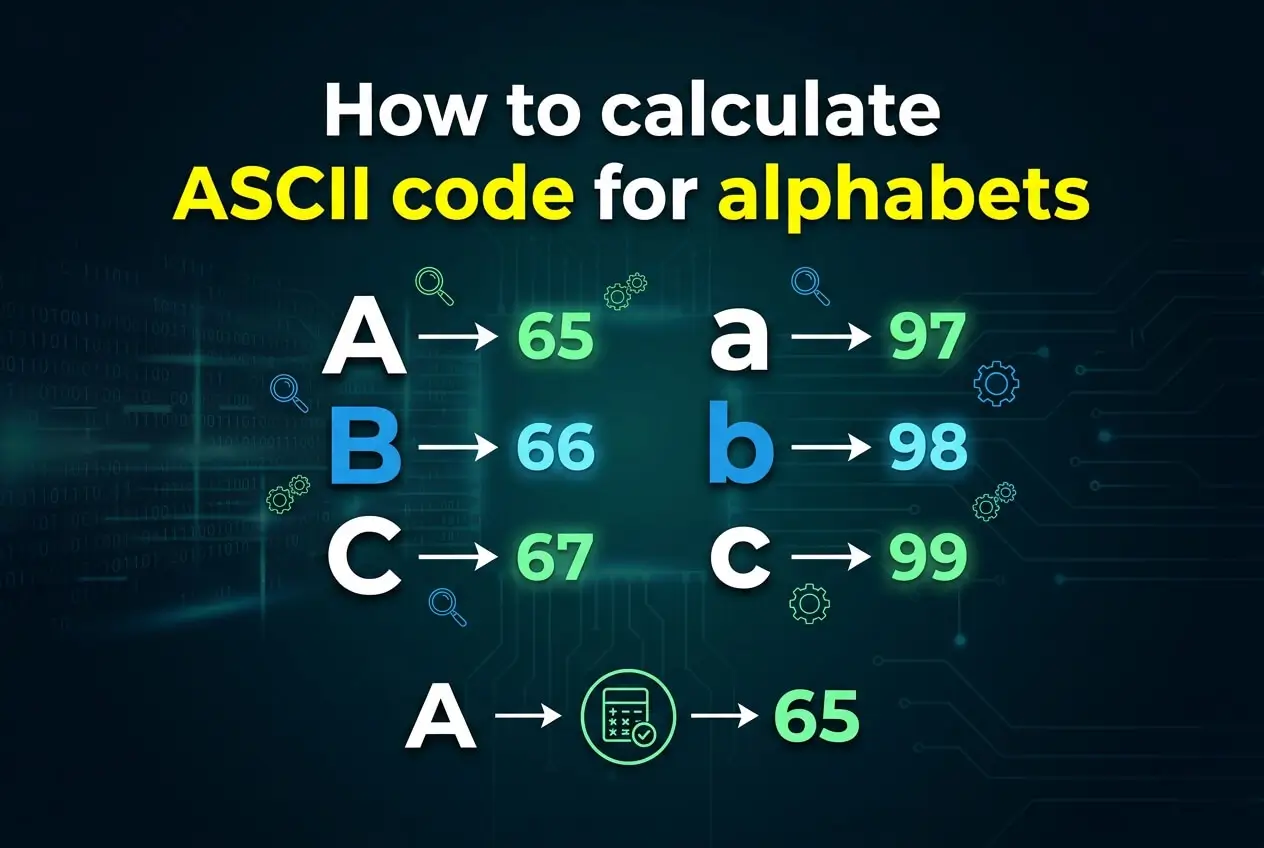
Learning how to calculate ASCII code for alphabets is a useful skill for anyone working with programming, text processing, encoding, or basic computer science. ASCII assigns numeric values to characters so computers can represent and process text consistently. For English alphabets, these values follow a simple and predictable pattern, which means you can often calculate an ASCII value without memorizing every character. In this guide, you will learn how uppercase and lowercase alphabet characters are represented, how to calculate their ASCII codes step by step, why uppercase and lowercase letters have different values, and how to verify your calculations. You will also see practical examples, common mistakes, programming applications, useful shortcuts, and frequently asked questions. By the end, calculating the ASCII code of any English alphabet should feel straightforward rather than something you need to look up every time.
ASCII Codes For Alphabet Characters
ASCII uses numerical values to represent characters. The English alphabet occupies two separate ranges, one for uppercase letters and another for lowercase letters. Knowing these ranges makes calculations much easier because the letters increase sequentially rather than having unrelated numbers.
1. ASCII Code For Uppercase Letters
Uppercase English letters range from A to Z in ASCII. The letter A has the value 65, and each following letter increases by exactly one. Therefore, B is 66, C is 67, and this pattern continues until Z, which has the value 90. This sequential structure is the foundation for calculating uppercase alphabet codes.
2. ASCII Code For Lowercase Letters
Lowercase English letters range from a to z. The lowercase letter a begins at ASCII value 97, and each following letter increases by one. Therefore, b is 98, c is 99, and the final lowercase letter z has the value 122. The lowercase range is separate from the uppercase range.
3. Difference Between Uppercase And Lowercase
The ASCII value of a lowercase letter is exactly 32 greater than the corresponding uppercase letter. For example, A is 65 while a is 97. Similarly, M is 77 while m is 109. This consistent difference provides a convenient way to convert between matching uppercase and lowercase ASCII values.
4. Alphabet Position And ASCII Value
Alphabet position can be used to calculate ASCII values because the letters are stored sequentially. If A is considered position 1, its ASCII value is 65. For another uppercase letter, add its alphabet position minus one to 65. The same method works for lowercase letters by starting with 97.
5. ASCII Values From A To Z
The uppercase sequence begins with A at 65 and ends with Z at 90. Because there are 26 English alphabet letters, the final value can be calculated as 65 plus 25, producing 90. This confirms that the entire uppercase alphabet occupies 26 consecutive ASCII values.
6. ASCII Values From A To Z In Lowercase
The lowercase sequence begins with a at 97 and ends with z at 122. Again, there are 26 positions, so the final character is 25 values higher than the starting character. Calculating 97 plus 25 gives 122, confirming the complete lowercase range.
How To Calculate ASCII Code For Alphabets
The calculation process is simple once you know the starting ASCII value and the alphabet position. You can use the character’s position to calculate its value rather than memorizing a complete table.
1. Find The Alphabet Position
First, determine where the letter appears in the English alphabet. For example, D is the fourth letter, H is the eighth letter, and T is the twentieth letter. This position provides the number you need for the calculation and avoids guessing the ASCII value.
2. Check Whether The Letter Is Uppercase
Next, determine whether the character is uppercase or lowercase. Uppercase letters begin at 65, while lowercase letters begin at 97. This distinction is essential because the same alphabet letter has different ASCII values depending on its case.
3. Start With The Correct Base Value
For uppercase letters, use 65 as the starting value because A equals 65. For lowercase letters, use 97 because a equals 97. Choosing the correct starting value ensures that the rest of the calculation follows the proper ASCII range.
4. Subtract One From The Position
Because the first letter already has the starting ASCII value, calculate the offset as the alphabet position minus one. For example, D is position four, so its offset is three. Adding that offset to 65 produces the correct uppercase ASCII value.
5. Add The Offset To The Base
After finding the offset, add it to the appropriate base value. For uppercase D, the calculation is 65 plus 3, which equals 68. For lowercase d, the calculation is 97 plus 3, which equals 100. This method works for every English alphabet letter.
6. Verify The Result
Finally, check whether your result falls within the expected ASCII range. Uppercase alphabet values must be between 65 and 90, while lowercase alphabet values must be between 97 and 122. If your result falls outside the appropriate range, review the letter position and starting value.
ASCII Alphabet Calculation Formula
A simple formula makes ASCII calculations quick and repeatable. Instead of remembering individual character values, you can use the alphabet position and the appropriate starting point for uppercase or lowercase letters.
1. Uppercase ASCII Formula
For an uppercase letter, use the formula ASCII value = 64 + alphabet position. If the letter is C, its position is 3, so 64 + 3 equals 67. This produces the correct ASCII value without requiring a lookup table.
2. Lowercase ASCII Formula
For a lowercase letter, use ASCII value = 96 + alphabet position. If the letter is c, its position is 3, so 96 + 3 equals 99. This formula works because lowercase a starts at 97, which corresponds to position one.
3. Calculating The Letter B
Uppercase B is the second alphabet letter, so its ASCII value is 64 + 2, giving 66. Lowercase b is also position two, so its ASCII value is 96 + 2, giving 98. The formulas clearly show why their values differ by 32.
4. Calculating The Letter M
M is the thirteenth letter of the alphabet. For uppercase M, calculate 64 + 13 to get 77. For lowercase m, calculate 96 + 13 to get 109. This example demonstrates that the same alphabet position can be used with different base values.
5. Calculating The Letter T
T is the twentieth letter. Its uppercase ASCII value is 64 + 20, which equals 84. Its lowercase ASCII value is 96 + 20, which equals 116. The calculation remains identical except for the starting base associated with the character case.
6. Calculating The Letter Z
Z is the twenty-sixth letter, so its uppercase ASCII value is 64 + 26, producing 90. For lowercase z, 96 + 26 produces 122. These results also confirm the two standard alphabet ranges used by ASCII.
Examples Of Calculating ASCII Codes
Examples make the calculation method easier to apply because they show how alphabet position, character case, and the base value work together. The following examples cover different positions throughout the alphabet.
1. Calculating ASCII For A
A is the first letter, so its uppercase ASCII value is 64 + 1, which equals 65. Lowercase a begins at 97, calculated as 96 + 1. Because there is no offset after the first position, these are the starting values for both alphabet ranges.
2. Calculating ASCII For F
F is the sixth letter of the alphabet. Its uppercase ASCII value is 64 + 6, producing 70. Its lowercase value is 96 + 6, producing 102. This example shows how moving six positions into the alphabet directly affects the ASCII number.
3. Calculating ASCII For J
J occupies position ten. Therefore, uppercase J has an ASCII value of 64 + 10, which equals 74. Lowercase j has an ASCII value of 96 + 10, which equals 106. The calculation uses the same alphabet position for both cases.
4. Calculating ASCII For P
P is the sixteenth alphabet letter. For uppercase P, add 16 to 64 to obtain 80. For lowercase p, add 16 to 96 to obtain 112. This example is useful for seeing how the calculation continues consistently beyond the middle of the alphabet.
5. Calculating ASCII For W
W is the twenty-third letter. Its uppercase value is 64 + 23, giving 87. Its lowercase value is 96 + 23, giving 119. Since the ASCII alphabet ranges are sequential, you can calculate this value without memorizing W specifically.
6. Calculating ASCII For Y
Y is the twenty-fifth letter. The uppercase calculation is 64 + 25, resulting in 89. The lowercase calculation is 96 + 25, resulting in 121. Only one letter remains after Y, which is why lowercase z reaches 122.
Why ASCII Alphabet Codes Matter
ASCII calculations are useful beyond simple exercises. They explain how computers distinguish characters and provide a foundation for several programming tasks involving text, sorting, validation, and character conversion.
1. Character Comparison
Programs can compare characters by comparing their numerical ASCII values. Since alphabet letters have sequential values, programmers can determine whether one character comes before or after another. This is especially useful for basic character processing and educational programming exercises.
2. Uppercase And Lowercase Conversion
The fixed difference of 32 between matching uppercase and lowercase letters makes ASCII-based case conversion possible. Adding 32 to an uppercase alphabet value produces the corresponding lowercase value, while subtracting 32 from a lowercase value produces the matching uppercase value.
3. Alphabetical Ordering
ASCII values can help programs arrange characters according to their numerical order. Uppercase and lowercase letters occupy separate ranges, however, so ASCII ordering is not always identical to natural dictionary ordering. Developers should consider character case when designing sorting logic.
4. Input Validation
ASCII ranges can be used in basic programming exercises to determine whether a character is an uppercase or lowercase English letter. A value from 65 through 90 represents uppercase alphabet characters, while 97 through 122 represents lowercase alphabet characters.
5. Text Processing
Many introductory text-processing problems involve inspecting individual characters and determining their properties. Knowing ASCII values helps programmers recognize letters, convert cases, count characters, and build simple algorithms without relying on complicated libraries.
6. Programming Fundamentals
Learning ASCII calculations teaches an important programming concept: characters can have numerical representations. This connects variables, arithmetic, comparisons, loops, and character handling, making ASCII a useful topic for beginners learning how software works with textual data.
Common ASCII Alphabet Mistakes To Avoid
Most ASCII calculation errors come from confusing character case, alphabet position, or the starting value. Recognizing these mistakes early can make manual calculations and programming tasks much more reliable.
1. Confusing Uppercase And Lowercase
A common mistake is assuming that A and a have the same ASCII value. They do not. Uppercase A is 65, while lowercase a is 97. Always identify the character’s case before choosing the starting value for your calculation.
2. Using The Wrong Alphabet Position
Another frequent error is counting alphabet positions incorrectly. Remember that A is position one, not zero, when using the basic human alphabet-position formula. If the position is wrong, the resulting ASCII value will also be wrong even when the formula is correct.
3. Forgetting The Minus One Method
When starting directly from A at 65, the offset method uses alphabet position minus one. For example, D is position four but sits three numerical steps after A. Forgetting this distinction can produce a value that is one greater than the correct result.
4. Assuming All Characters Are Alphabetic
ASCII includes many characters besides letters, including digits, punctuation marks, spaces, and control characters. The alphabet formulas apply specifically to English A through Z and a through z. They should not be used to calculate arbitrary ASCII characters.
5. Confusing ASCII With Unicode
ASCII is a limited character encoding standard designed around a relatively small set of characters. Unicode is much broader and supports writing systems and symbols from around the world. Although Unicode retains the same basic values for standard ASCII characters, the two systems should not be treated as identical.
6. Assuming ASCII Is Case Insensitive
ASCII treats uppercase and lowercase letters as different characters because they have different numerical values. A program comparing A with a using their ASCII values will therefore see two different values. Case-insensitive comparison requires additional processing rather than assuming the values match.
Best Practices For Calculating ASCII Codes
A consistent calculation method helps prevent simple errors and makes ASCII reasoning easier when you are working manually or writing a program. These practices are particularly useful for students and beginner programmers.
1. Memorize The Two Starting Values
The most useful values to remember are uppercase A = 65 and lowercase a = 97. Once these two starting points are familiar, the rest of the alphabet can be calculated through sequential counting or a simple formula.
2. Use Alphabet Position Carefully
Count the letter position from A as one rather than zero when using the formula based on 64 or 96. This keeps the calculation intuitive and avoids unnecessary confusion. For programming indexes, zero-based positions may be used, but that is a different convention.
3. Check The Expected Range
After calculating a value, quickly verify its range. Uppercase letters should produce values from 65 through 90, and lowercase letters should produce values from 97 through 122. A value outside these ranges signals that something needs to be checked.
4. Use The Case Difference
If you already know the ASCII value of an uppercase letter, you can obtain the corresponding lowercase value by adding 32. If you know the lowercase value, subtracting 32 gives the uppercase equivalent. This shortcut is faster than recalculating the alphabet position.
5. Practice With Random Letters
Instead of memorizing an entire table, practice calculating random letters from different parts of the alphabet. Choose characters near the beginning, middle, and end. This reinforces the sequential pattern and makes the calculation method easier to recall.
6. Verify Important Results Programmatically
When accuracy matters in a real software project, use the character-conversion features available in your programming language to verify your calculation. Manual formulas are excellent for learning and reasoning, while built-in functions can reduce mistakes when processing large amounts of data.
Practical ASCII Alphabet Use Cases
ASCII alphabet values appear in many basic computing tasks. While modern applications often use Unicode-aware tools, understanding ASCII remains valuable for learning, debugging, and working with simple character-based algorithms.
1. Learning Character Encoding
Students often use alphabet ASCII calculations to learn how text becomes numerical data inside computers. Calculating letters manually provides a concrete example of character encoding and helps connect abstract programming concepts with values that can be manipulated mathematically.
2. Building Character Counters
A beginner program may inspect a string and count uppercase or lowercase letters. ASCII ranges provide one straightforward way to classify English alphabet characters. Such exercises are useful for learning loops, conditions, strings, and character processing.
3. Practicing Case Conversion
ASCII values can demonstrate how uppercase and lowercase conversion works at a numerical level. A programmer can compare a character’s value against the appropriate range and apply the 32-value difference when working specifically with standard English alphabet characters.
4. Solving Programming Exercises
Coding challenges frequently ask learners to determine whether a character is a letter, convert its case, or calculate a character’s numerical representation. ASCII provides a simple mathematical foundation for solving these exercises without requiring advanced text-processing techniques.
5. Debugging Character Data
When unexpected characters appear in a program, examining their numerical representation can sometimes reveal what the program actually received. ASCII values are especially helpful when debugging simple English text, whitespace, punctuation, or character-comparison problems.
6. Learning Sorting Logic
Character values can demonstrate how numerical comparison affects ordering. Comparing ASCII values helps learners see why uppercase and lowercase letters can behave differently during sorting. This provides a useful introduction to comparison rules and character normalization.
ASCII Alphabet Calculation Steps
If you need a quick repeatable process, use the following sequence. It works for any standard English alphabet character and can be completed mentally once the starting values become familiar.
- Identify The Letter: Determine the exact English alphabet character whose ASCII value you need to calculate.
- Check The Case: Decide whether the character is uppercase or lowercase because the two ranges begin at different values.
- Find The Position: Determine the letter’s position from A = 1 through Z = 26.
- Select The Base: Use 64 plus the position for uppercase letters or 96 plus the position for lowercase letters.
- Perform The Calculation: Add the alphabet position to the selected base value to obtain the ASCII code.
- Check The Range: Confirm that uppercase results fall from 65 to 90 or lowercase results from 97 to 122.
- Compare If Needed: If you are converting between cases, remember that matching uppercase and lowercase letters differ by exactly 32.
ASCII Alphabet Checklist
Before accepting a manually calculated ASCII value, a short checklist can help catch common mistakes. These checks are especially useful when solving programming exercises, preparing notes, or verifying calculations without a computer.
- Correct Character: Make sure you are calculating the intended alphabet letter rather than a visually similar character.
- Correct Case: Confirm whether the character is uppercase or lowercase before selecting the starting value.
- Correct Position: Count the alphabet position from A as one and verify the position before calculating.
- Correct Formula: Use 64 plus position for uppercase or 96 plus position for lowercase characters.
- Valid Range: Check that the final number falls within the correct alphabet ASCII range.
- Case Difference: If comparing matching cases, verify that the lowercase value is 32 greater than the uppercase value.
Frequently Asked Questions
What Is The ASCII Code For The Letter A?
The ASCII code for uppercase A is 65, while lowercase a is 97. These are the starting values of the two English alphabet ranges in ASCII. Every following uppercase or lowercase letter increases by one, making it possible to calculate other alphabet codes from these starting points.
How Do You Calculate ASCII For Any Letter?
First find the letter’s alphabet position, with A equal to one and Z equal to 26. For uppercase letters, add that position to 64. For lowercase letters, add the position to 96. The resulting number is the standard ASCII value for that English alphabet character.
Why Is Lowercase A Equal To 97?
ASCII assigns lowercase a the numerical value 97 as the beginning of the lowercase English alphabet range. The following lowercase letters increase sequentially, so b is 98 and z is 122. The lowercase range is deliberately separate from the uppercase range.
What Is The Difference Between A And A In ASCII?
Uppercase A and lowercase a are different ASCII characters. Uppercase A has the value 65, while lowercase a has the value 97. The difference between corresponding uppercase and lowercase alphabet characters is consistently 32, so the same relationship applies to every English letter.
Can ASCII Values Be Used To Convert Case?
Yes, for standard English alphabet characters, the 32-value difference can be used for basic case conversion. Adding 32 to an uppercase letter’s ASCII value produces the corresponding lowercase value, while subtracting 32 from a lowercase value produces its uppercase counterpart.
Is ASCII The Same As Unicode?
No. ASCII is a much smaller character encoding standard, while Unicode is designed to represent a far broader collection of characters and writing systems. Standard ASCII characters retain the same numerical values within Unicode, but Unicode extends far beyond the original ASCII character set.
Conclusion
Learning how to calculate ASCII code for alphabets becomes simple once you know the starting values and the sequential structure of the English alphabet. Uppercase A begins at 65 and lowercase a begins at 97, with each following letter increasing by one. Using alphabet position with the appropriate base value lets you calculate any standard English alphabet ASCII code without memorizing the entire table.
The key is to identify the character’s case, find its alphabet position, apply the correct formula, and verify the resulting range. Understanding this process also provides a useful foundation for character comparison, case conversion, text processing, input validation, and beginner programming exercises involving ASCII values.