
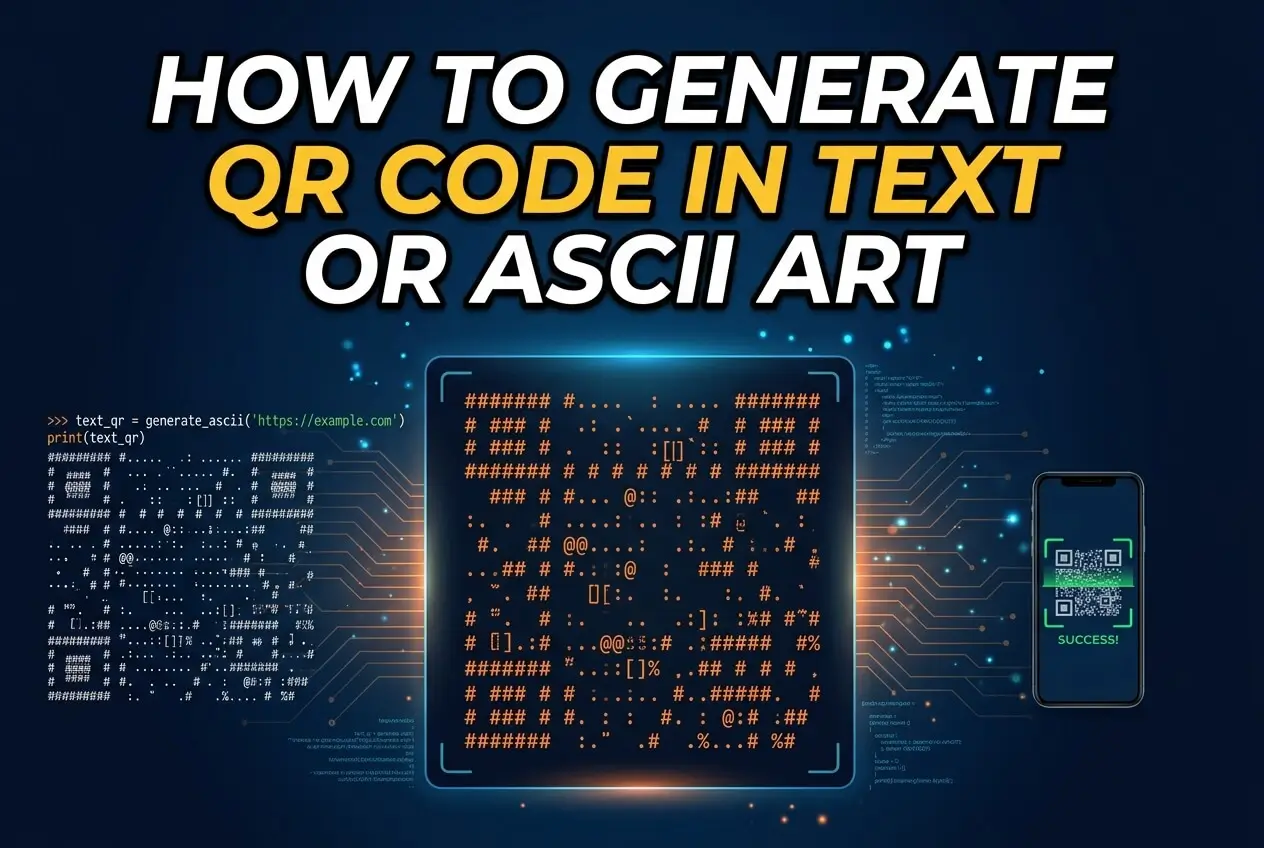
Learning how to generate qr code in text or ascii art can be useful when you need to display a QR-style pattern in a terminal, plain-text document, command-line application, source code comment, email, or environment where ordinary images are not convenient. A QR code is normally a two-dimensional matrix of dark and light modules, but those modules can also be represented with characters such as #, space, or block characters. The important part is preserving the exact square structure, contrast, quiet zone, and encoded data. In this guide, you will learn what a text or ASCII QR code is, how the generation process works, which character styles are practical, how to make the result scannable, common mistakes to avoid, and where text-based QR codes are useful. You will also learn the difference between a real QR symbol represented with text and an ordinary ASCII pattern that only looks like a QR code.
What A Text QR Code Actually Means
A text QR code is a textual representation of the modules that make up a QR symbol. Instead of drawing black and white squares as pixels, software maps dark modules to characters and light modules to spaces or other characters. The underlying QR structure remains important, because a scanner must recognize the finder patterns, timing patterns, alignment patterns, data modules, and required margins.
1. QR Codes Use A Grid
A QR code is built from a square grid called modules. Each module is either dark or light, and groups of modules form the patterns needed for positioning, formatting, error correction, and encoded information. When converting that grid into text, every character essentially becomes a visual substitute for one or more modules.
2. ASCII Art Is Only The Visual Representation
ASCII art does not create the QR encoding by itself. The QR data must first be encoded according to the QR standard, after which its module matrix can be rendered using text characters. This distinction matters because manually drawing a pattern that resembles a QR code does not automatically produce a valid or scannable QR symbol.
3. Characters Replace Dark Modules
The simplest approach is to represent every dark module with a character such as # and every light module with a space. This produces a recognizable monochrome grid. Other renderers use pairs of characters, Unicode block elements, or terminal color to make the output denser while preserving the underlying module arrangement.
4. Proportions Must Be Preserved
Terminal characters are usually taller than they are wide, so replacing one QR module with one character can make the symbol look vertically stretched. A better text renderer may use two horizontal pixels per character row or Unicode half-block characters. Preserving the visual proportions improves the chance that a camera or scanner can correctly identify the symbol.
5. The Quiet Zone Still Matters
QR codes require a clear margin around the symbol so scanners can distinguish its boundary from surrounding content. This area is commonly called the quiet zone. When generating a text QR code, leaving several empty module positions around the matrix is important, especially when the result is printed or displayed beside other terminal content.
6. A Text QR Can Still Be A Real QR
A QR code does not stop being a QR code simply because its modules are displayed using characters. If the original QR matrix is valid and the text renderer preserves the required structure, the textual output can represent the same encoded symbol. The challenge is making that representation visually reliable enough for scanning.
Why Generate QR Codes In Text Or ASCII
Text-based QR codes are useful when images are unavailable, inconvenient, or undesirable. They are particularly practical in command-line tools, server logs, developer documentation, terminal interfaces, plain-text messages, and environments where a small textual representation is easier to copy or store than an image file.
1. Terminal And Command Line Output
Command-line applications can display a QR code directly in a terminal without opening a graphical interface. This is useful for temporary authentication flows, configuration tasks, development utilities, and local tools. A user can scan the terminal display with a phone while continuing to work in the same environment.
2. Plain Text Documentation
Some documentation systems accept only plain text or have limited image support. A text QR representation can be included directly in those environments. It is especially convenient for technical notes where readers already work with monospace text and need a compact visual representation alongside instructions.
3. Developer And Server Tools
Developers sometimes need QR output while working on remote servers through SSH or other terminal sessions. Generating a text QR code avoids transferring an image to another device just to display it. This can simplify development workflows involving local testing, temporary credentials, configuration values, or device pairing.
4. Offline And Restricted Environments
Some environments restrict graphical interfaces, external files, or network-based image handling. A text renderer can work entirely within the available terminal or application output. The QR data still needs to be generated correctly, but the final visual representation can remain entirely textual.
5. Copyable Visual Output
Text has an important advantage because it can be copied, logged, and stored alongside other textual information. However, copying can also introduce problems if whitespace is collapsed or characters are changed. Therefore, text QR output is most reliable in fixed-width environments that preserve spaces, line breaks, and character positions.
6. Lightweight Demonstrations
Text QR codes are also useful for teaching how QR symbols work. Developers can inspect a matrix one row at a time and see how dark and light modules form recognizable structures. This makes ASCII rendering valuable for educational demonstrations, debugging, and experimenting with QR generation concepts.
How To Generate A QR Code In Text
The basic process is straightforward when a QR generation library or algorithm is available. The application first turns the desired content into a QR matrix, then converts each matrix position into a visual character. The final output should include sufficient margin and use a fixed-width display so the geometry remains consistent.
1. Choose The Content To Encode
Start with the information that the QR code should contain. This could be ordinary text, contact information, a configuration value, a payment payload, or another supported data format. Keep the content appropriate for the selected QR version because larger amounts of data require more modules and may produce a denser symbol.
2. Select The QR Encoding Method
Use a proper QR encoder rather than trying to manually construct the matrix. A QR encoder handles data modes, error correction, masking, version selection, and structural patterns. These details are difficult to reproduce correctly by hand, so using a reliable implementation is the practical approach for producing valid QR data.
3. Generate The Module Matrix
Once the content is encoded, the QR generator produces a two-dimensional matrix containing dark and light modules. At this stage, the result is essentially the QR code without depending on a particular visual medium. An image renderer might turn it into pixels, while a text renderer can turn the same matrix into characters.
4. Map Modules To Characters
The renderer then chooses a character for each visual state. A simple version can use # for dark modules and a space for light modules. More advanced renderers can combine two vertical modules into one Unicode block character, creating a more compact symbol while retaining the underlying QR pattern.
5. Add The Required Margin
Place a clear quiet zone around the QR matrix before displaying it. This margin should remain empty and should not be replaced with decorative characters. The purpose is to separate the QR symbol from surrounding terminal text, which helps scanning software locate the boundaries of the code.
6. Display With A Monospace Font
Always use a fixed-width or monospace environment when displaying character-based QR output. Proportional fonts can assign different widths to characters and distort the grid. Even a correctly generated QR matrix can become difficult to scan if the display changes character spacing or removes significant whitespace.
7. Test The Rendered Result
Finally, test the actual displayed QR code with a QR scanner rather than assuming the output is correct. Test from the intended viewing distance and device. If scanning fails, check the character proportions, quiet zone, contrast, whitespace preservation, terminal scaling, and whether the renderer changed the original QR matrix.
ASCII Characters That Work For QR Codes
Different characters can produce very different results even when they represent the same QR matrix. The best choice depends on where the QR code will appear, how the text is rendered, and whether the output needs to be copied or scanned from a screen.
1. Hash Characters
The # character is one of the simplest choices for representing dark modules. It is widely available in ASCII-compatible environments and remains visually obvious in plain text. The disadvantage is that individual characters may not produce square visual units, so the resulting QR pattern can look vertically stretched.
2. Spaces And Hashes
Using # for dark modules and spaces for light modules creates a familiar black-and-white terminal appearance. It is simple and portable, but spaces can be accidentally removed or compressed by some systems. This method therefore works best in controlled terminal output or preformatted text environments.
3. Double Characters
Using two horizontal characters for each dark module can compensate for the difference between character width and character height. For example, a renderer may repeat a dark symbol horizontally while leaving corresponding light positions empty. This often produces a more square-looking QR pattern in ordinary terminal fonts.
4. Unicode Block Characters
Unicode block characters can represent multiple module states within a single character cell. Half-block and related symbols allow a renderer to combine information from adjacent rows, reducing the number of terminal lines required. They can produce compact and attractive results, although Unicode support must be reliable.
5. Colored Terminal Characters
A terminal renderer can use foreground and background colors to create stronger contrast between dark and light regions. Color can improve readability on some displays, but it should not be required for correctness. A QR representation that only works under a specific color scheme is less portable than a high-contrast monochrome version.
6. Inverted Rendering
Some environments display a QR pattern more effectively by using a solid background character for light modules and terminal background space for dark modules, or vice versa. Inverted output can be useful when the terminal theme makes ordinary spaces and dark characters difficult to distinguish, but the final contrast should always be checked.
QR Text Generation And Error Correction
Error correction is one of the most important technical features of QR codes. It allows a scanner to recover information even when some modules are damaged, obscured, or unreadable. Text rendering does not replace this feature; the QR encoder must create the symbol with an appropriate error-correction level before the matrix is converted into ASCII or Unicode.
1. Low Error Correction
A lower error-correction setting allows more data to fit into a smaller QR symbol, but less damage can be tolerated. This can work for clean digital displays where the entire symbol is visible and the text representation is not likely to be disturbed by surrounding content or display problems.
2. Higher Error Correction
Higher error correction adds redundancy to the QR data, allowing scanners to recover from a greater amount of missing or damaged information. The tradeoff is that the resulting QR symbol may become larger or denser. For text output, that increased density can make the visual representation more difficult to display clearly.
3. Choose Based On The Environment
Error correction should be selected according to the final use rather than automatically choosing the highest setting. A clean terminal display may need less redundancy than a printed or visually obstructed code. The goal is to balance symbol size, data capacity, scanning conditions, and expected interference.
4. Error Correction Does Not Fix Distortion
QR error correction cannot compensate for every rendering problem. If a text renderer removes spaces, changes line wrapping, stretches the module grid, or cuts off part of the symbol, the scanner may not be able to reconstruct the intended matrix. Correct encoding and correct visual rendering are both necessary.
5. Test At The Final Size
A QR code that scans successfully at one size may fail when the terminal font becomes smaller or the output is copied into another application. Always test the actual presentation format. If users will scan from a terminal window, test the terminal window rather than relying only on an original high-resolution QR image.
6. Preserve The Finder Patterns
The three large finder patterns are essential visual features that help scanners determine the QR symbol’s position and orientation. A text renderer should never alter, simplify, or replace them. If the module matrix is copied exactly, these structural patterns are preserved automatically as part of the generated QR data.
Common QR Text Generation Mistakes To Avoid
Text-based QR generation introduces several problems that do not normally appear when using a conventional image renderer. Most failures come from changing the matrix during rendering, damaging whitespace, using unsuitable characters, or assuming that visual similarity means technical validity.
1. Drawing A QR Code Manually
Manually drawing squares that look like a QR code is not a reliable generation method. A valid QR symbol contains structured information, error correction, masking, and format data. Instead of designing the pattern yourself, generate the QR matrix with a proper encoder and only customize how that matrix is displayed.
2. Removing The Quiet Zone
One of the easiest mistakes is placing text immediately against the QR modules. Without a clear margin, a scanner can struggle to identify where the symbol begins and ends. Always reserve an empty area around the entire matrix, particularly when the text QR code is embedded within logs or other terminal output.
3. Allowing Line Wrapping
Automatic line wrapping can destroy a text QR code because rows must remain aligned. If one row wraps earlier than another, the two-dimensional matrix is no longer represented correctly. Use a sufficiently wide terminal or output area, and make sure the rendering system does not insert unexpected line breaks.
4. Using A Proportional Font
Proportional fonts assign different widths to different characters, which can distort the QR pattern. Even if the underlying text is correct, the visual result may become too wide or narrow. A monospace font keeps every character cell aligned and is therefore much safer for terminal-based QR rendering.
5. Trusting Visual Similarity
A pattern can look convincingly QR-like while containing incorrect data or damaged modules. Visual inspection alone is not enough. Scan the final output whenever possible. This confirms both that the QR matrix was generated correctly and that the chosen text representation survives the actual display environment.
6. Ignoring Character Encoding
Unicode block characters can create excellent results, but they are not supported consistently in every environment. Encoding conversions, terminal settings, or applications may replace characters with different symbols. If portability matters, use a simpler ASCII representation or verify that the complete Unicode rendering pipeline is reliable.
Best Practices For Text And ASCII QR Codes
A good text QR generator should focus on both technical validity and visual reliability. The following practices help keep the output readable, portable, and easier for scanning software to interpret.
1. Start With A Valid QR Matrix
Always treat the QR matrix as the source of truth. Generate it using a proper QR encoder, then render that matrix into text. Separating encoding from rendering makes the implementation easier to test because you can verify the QR data independently from the character-based presentation.
2. Keep Strong Contrast
Dark and light modules should remain visually distinct. Avoid decorative characters, low-contrast colors, or backgrounds that make the two states difficult to separate. High contrast is especially important when a phone camera is scanning a terminal screen under imperfect lighting or at an angle.
3. Preserve Every Row And Column
Every module has a position in the QR matrix, so the renderer must preserve that position. Do not trim trailing spaces if they are part of the visual row, and do not allow automatic formatting to alter line length. Consistent rows are essential for maintaining the two-dimensional structure.
4. Use A Suitable Character Strategy
Choose characters based on the output environment. Simple ASCII characters are generally easier to copy and preserve, while Unicode blocks can produce more compact results. If scanning performance is the priority, test several rendering approaches and use the one that remains clear and geometrically stable on the target display.
5. Keep The Output Free Of Decoration
Extra borders, labels, emojis, punctuation, or surrounding text can interfere with scanning if they are placed too close to the symbol. Keep the quiet zone clear. If a description is necessary, place it outside the QR area with enough separation that the scanner can identify the symbol independently.
6. Validate Before Distribution
Testing should be part of the generation process rather than an optional final step. Scan the text QR code from the actual terminal, document, or interface where users will see it. If it fails, adjust the renderer or display conditions instead of changing the encoded content without a clear reason.
Practical Text QR Code Use Cases
Text QR codes are most useful when a normal image is inconvenient but users still need a scannable visual representation. Their strongest applications tend to involve terminals, technical workflows, temporary displays, and text-focused environments.
1. Terminal Authentication Workflows
A command-line application can display a QR representation when a user needs to pair a device or complete a temporary authentication process. This avoids switching applications to open an image and can make remote server workflows more convenient when the terminal is the primary interface.
2. Developer Testing
Developers can render QR matrices directly in terminal output while testing an encoder or application feature. This makes it possible to inspect the symbol without building a complete graphical interface. It is particularly helpful when debugging generation logic, error-correction settings, or different rendering strategies.
3. Technical Documentation
Documentation intended for plain-text environments can include a QR representation alongside written instructions. Readers can scan the terminal or document display while following the instructions. This is useful when the documentation system does not reliably support embedded images or when keeping everything in one text-based file is preferable.
4. Remote Server Sessions
Remote administration often takes place through text-only sessions. A text QR renderer can provide a convenient way to show QR information without requiring a graphical desktop or file transfer. The user can view the remote session on one screen while scanning the displayed code with another device.
5. Temporary Configuration Sharing
QR codes can carry configuration-related information when the receiving application supports the appropriate format. A terminal-based renderer can display that information as a QR symbol for temporary device setup. Sensitive information should still be handled carefully because anyone able to scan the displayed code may obtain its contents.
6. Educational QR Demonstrations
Teachers and developers can use ASCII rendering to demonstrate how a QR symbol is constructed from modules. Showing the matrix as text makes the structure visible in a way that a normal image can hide. It is a useful bridge between abstract encoding concepts and the visual behavior of a real QR code.
Examples Of Text QR Rendering
Examples are helpful because the same QR matrix can look very different depending on the chosen character representation. The examples below describe rendering approaches rather than providing a specific encoded symbol, allowing the method to be adapted to different QR libraries and terminal environments.
1. Basic Hash Grid
A basic renderer can translate every dark module into # and every light module into a space. This approach is easy to implement and works in many plain-text environments. Its main limitation is the rectangular shape of typical terminal characters, so the displayed QR may require horizontal duplication for better proportions.
2. Dense Block Rendering
A Unicode block renderer can combine information from multiple module rows into one terminal line. This reduces the overall height and can make the QR symbol appear closer to a square. It is visually efficient, but the environment must reliably support the selected Unicode characters and maintain consistent character widths.
3. Double-Width ASCII Rendering
A double-width method repeats each horizontal module representation so the character cell proportions more closely match the height of a terminal row. This can make ordinary ASCII output easier for cameras to interpret. It also increases the width of the final symbol, so the terminal must provide enough horizontal space.
4. Inverted Terminal Rendering
An inverted approach uses terminal background and foreground properties to create the dark and light module contrast. This can produce a cleaner appearance than visible characters and spaces. It is particularly useful in controlled terminal applications, although copied plain text may no longer preserve the visual representation.
5. Plain Text Documentation Rendering
For documentation, a simple ASCII representation is often preferable because it survives copying and avoids dependence on special fonts. The output should be placed in a fixed-width context with the complete quiet zone preserved. Readers should be told, when necessary, that the displayed pattern is intended to be scanned.
6. Machine-Generated Matrix Rendering
For software development, the most dependable approach is to obtain the module matrix directly from a QR library and iterate through its rows and columns. Each Boolean or module state is then mapped to a selected character. This keeps QR generation and text presentation separate, making the implementation easier to maintain.
Advanced Text QR Code Tips
Once basic generation works, several refinements can improve reliability. These techniques are particularly useful when building a reusable command-line QR generator or integrating text QR output into a larger software application.
1. Separate Encoding From Rendering
Keep the QR encoder independent from the terminal renderer. The encoder should produce a validated matrix, while the renderer decides whether that matrix becomes ASCII, Unicode blocks, colored terminal output, or another format. This architecture makes it easier to support multiple output styles without changing the QR generation logic.
2. Test Multiple Display Environments
Terminal behavior can vary across operating systems, shells, fonts, and terminal applications. A rendering method that looks excellent in one environment may become distorted in another. Test the output in the environments your users are expected to use, especially when scanning from a phone camera.
3. Consider Scaling Carefully
Scaling a text QR code is not the same as resizing an ordinary image. Repeating modules can preserve the QR structure, but inconsistent horizontal and vertical scaling can distort the symbol. If you scale the representation, scale both dimensions deliberately and confirm that the final geometry remains easy for scanners to interpret.
4. Preserve Whitespace During Copying
Whitespace is part of the visual representation when spaces represent light modules. Applications that trim trailing spaces or collapse repeated spaces can damage the QR pattern. When copying text output between systems, use a format that preserves whitespace exactly, or choose a character-based renderer that does not depend entirely on invisible spaces.
5. Keep Sensitive Data Out Of Logs
A QR code may contain private or security-sensitive information, and a text representation can make that information easy to record in terminal history or logs. Avoid printing confidential payloads unnecessarily. If a QR is intended only for temporary display, consider how long the terminal output will remain visible or stored.
6. Validate With Real Scanners
Automated tests can confirm that the generated matrix matches expected data, but practical scanning tests reveal display problems that software validation may miss. Test with real scanning applications under normal viewing conditions. Successful scanning is the strongest practical confirmation that the complete text-rendering workflow works as intended.
Frequently Asked Questions
Can A QR Code Be Generated Using ASCII Characters?
Yes. A valid QR matrix can be rendered using ASCII characters such as # and spaces. The QR encoding must still be performed correctly first. ASCII characters only provide the visual representation, so the renderer must preserve every module, maintain the correct row and column structure, and leave an adequate quiet zone around the symbol.
Can A Text QR Code Be Scanned?
Yes, a text QR code can sometimes be scanned if its rendering accurately preserves the QR matrix and provides sufficient contrast, size, and spacing. Results depend heavily on the character proportions, font, terminal scaling, camera quality, and quiet zone. Always test the final displayed representation instead of assuming that every ASCII rendering will scan.
What Is The Best Character For An ASCII QR Code?
There is no single character that is best for every environment. A simple # character is highly portable, while Unicode block characters can create denser and more square-looking output. The best choice is the one that preserves the QR structure, maintains strong contrast, survives the target display environment, and produces reliable scanning results.
Why Does My ASCII QR Code Look Stretched?
Terminal characters are normally taller than they are wide, so mapping one QR module to one character can distort the symbol vertically. This does not necessarily mean that the QR matrix is incorrect. Try a renderer that duplicates horizontal modules or combines multiple module rows with suitable Unicode block characters.
Do Text QR Codes Need A Quiet Zone?
Yes. A clear quiet zone helps scanners identify the QR symbol against its surrounding content. Text output should include an empty margin around the matrix rather than placing characters, labels, borders, or other terminal content directly against the QR modules. Removing this space can reduce scanning reliability.
Is An ASCII Pattern The Same As A Real QR Code?
No. An ASCII pattern can look like a QR code without containing valid encoded information. A real QR code must follow the QR specification, including structural patterns, data encoding, error correction, and masking. ASCII or Unicode rendering only changes how a valid module matrix is displayed and does not create the underlying QR data by itself.
Conclusion
Learning how to generate qr code in text or ascii art starts with an important distinction: the QR code itself is a structured two-dimensional matrix, while ASCII art is simply one way to display that matrix. A reliable workflow uses a proper QR encoder, converts the resulting modules into carefully chosen characters, preserves the quiet zone, maintains fixed-width alignment, and tests the final display with a real scanner.
For simple terminal output, hashes and spaces can provide a portable solution, while Unicode block characters or carefully scaled text can create more compact results. The right approach depends on the environment, but the essential principles remain the same: preserve every module, maintain strong contrast and proportions, protect whitespace, and validate the finished representation before relying on it.